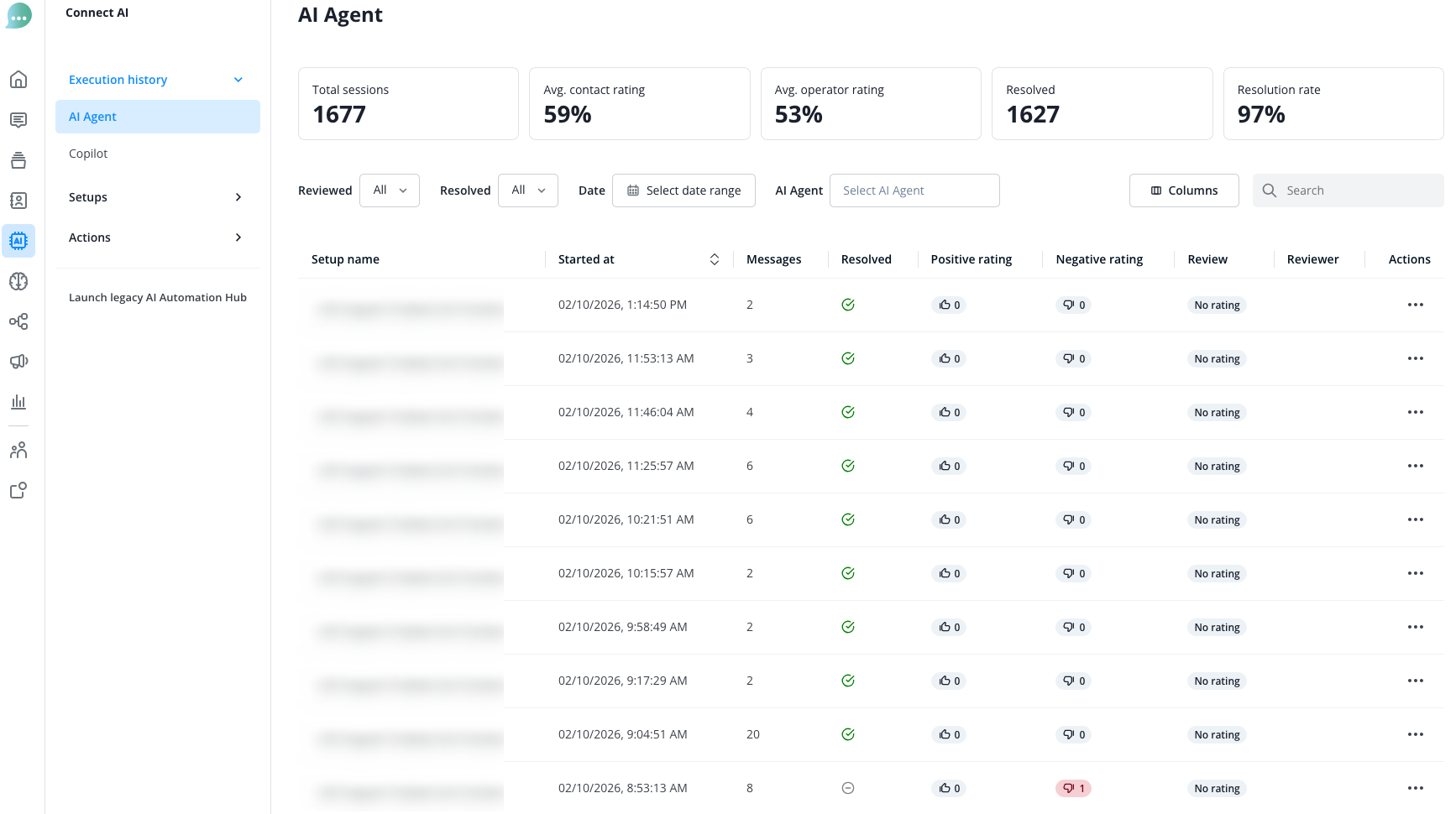
In the "Execution history" section, you can view various statistics for your AI Agents and AI Copilots. You can also filter here.
Total sessions | Count of conversations handled by the AI Agent. One conversation is considered from the start until the AI Agent either forwards or ends the conversation on the set timeout. The session also ends when the customer leaves the website containing the chat. |
Avg. contact rating | Shows the average rating given by your contacts |
Avg. operator rating | Shows the average rating given by your own operators |
Resolved | Count of conversations solved by the AI Agent itself, so without forwarding on bad rating. Forwarding based on a system action still counts as resolved. |
Resolution rate | Shows the average of solved conversations. |
For the AI Agent, you will also find here the number of conversations (sessions) that were conducted. This number is important for calculating costs. See also here.
For Copilot, you have a similar statistic page:
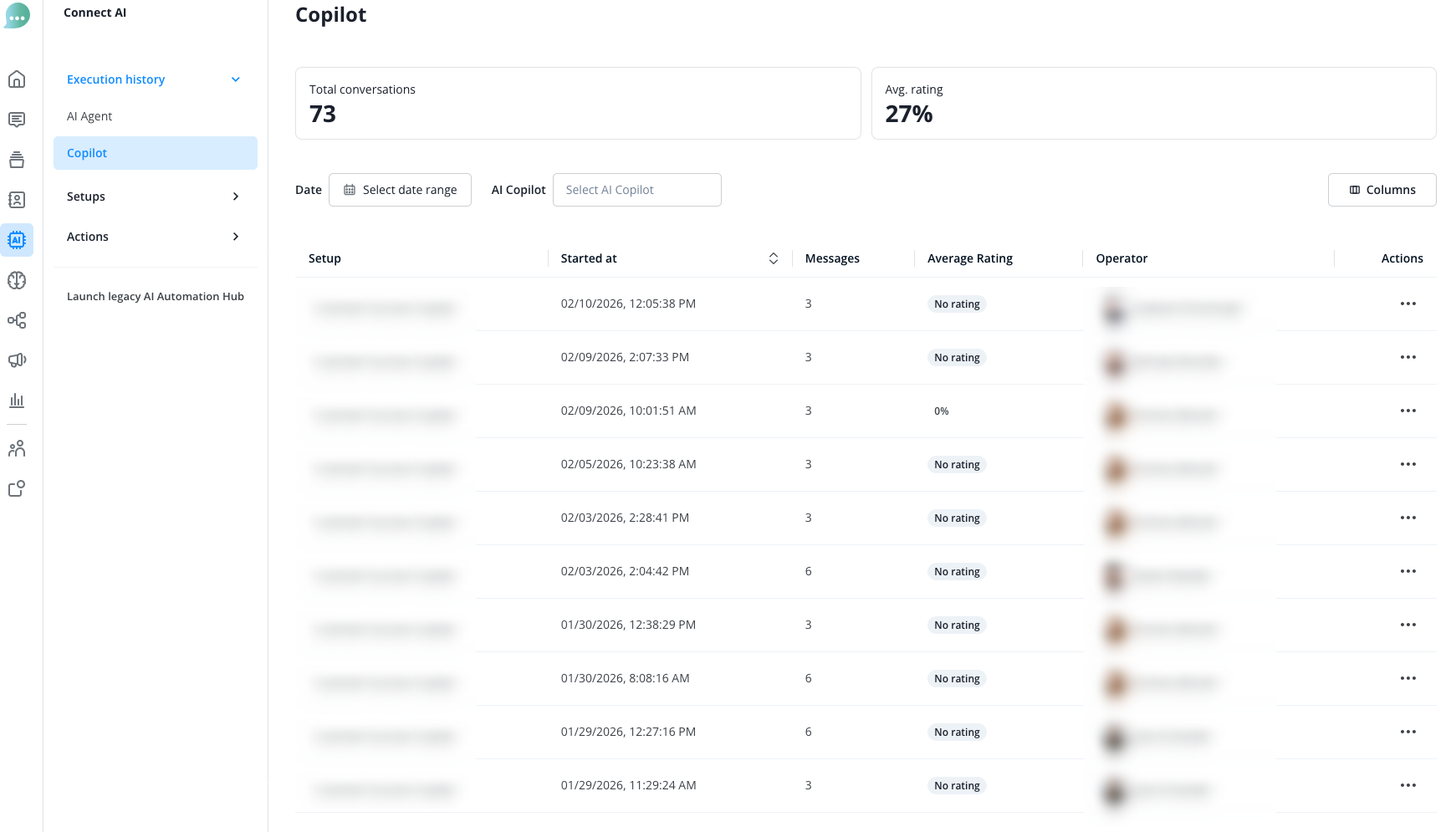
Total conversations | Count of conversations handled by the Copilot. A new conversations counts whenever an operator opens a new copilot session in the sidebar or clicks on “new chat” in the +-Menu during an ongoing copilot conversation. |
Avg. rating | Shows the average rating given by your own operators |
By clicking the three dots on the right side, you can access the detailed view of each response provided by the AI.
Within the detailed conversation view you can also rate the answers given by your AI Agent and provide feedback. This helps us to further optimise the AI model.
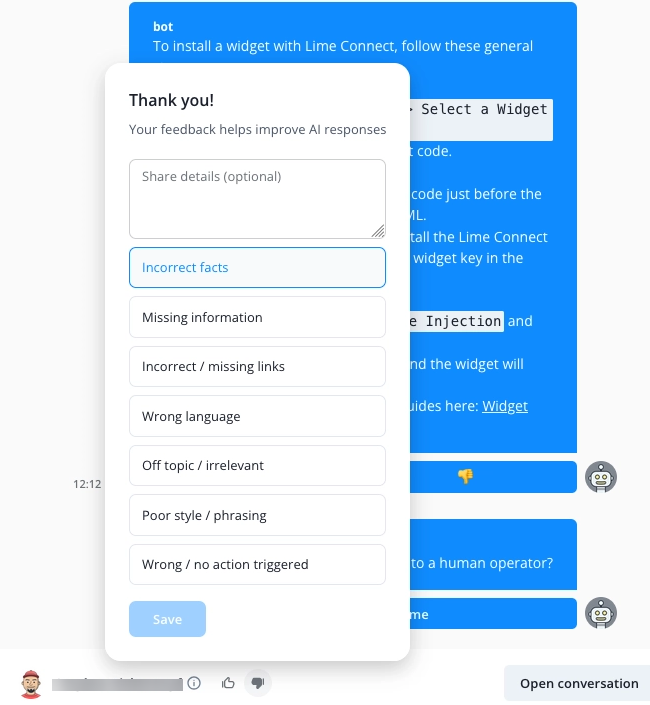
To add feedback, first click on the "thumbs down" icon at the bottom of the right sidebar. You can then add your comment and select a category for your feedback. Then click Save.
Our AI team receives your feedback and can use it to improve the AI model.