
With Guidelines, you can influence the general behavior of your AI Agents and Copilots. They apply to every action of the AI, which clearly distinguishes them from entries in the knowledge database:
- The knowledge database contains (potentially a very large number of) information or knowledge that your AI Agent or Copilot can use to generate answers. This information is retrieved dynamically by the AI searching the knowledge database (exclusively) as needed.
- Guidelines, on the other hand, represent fixed specifications that apply to every single action of the AI application.
You configure the following things directly in the respective Setup and not in the Guidelines:
- Response length
- Formality
- Role
- Tone and communication style
Please note: If you create multiple Guidelines, you should pay very close attention to ensure they do not contradict each other or exist in similar form multiple times, as this can significantly impair the quality of responses. Additionally, you should try to limit the number and content of Guidelines to the essentials.
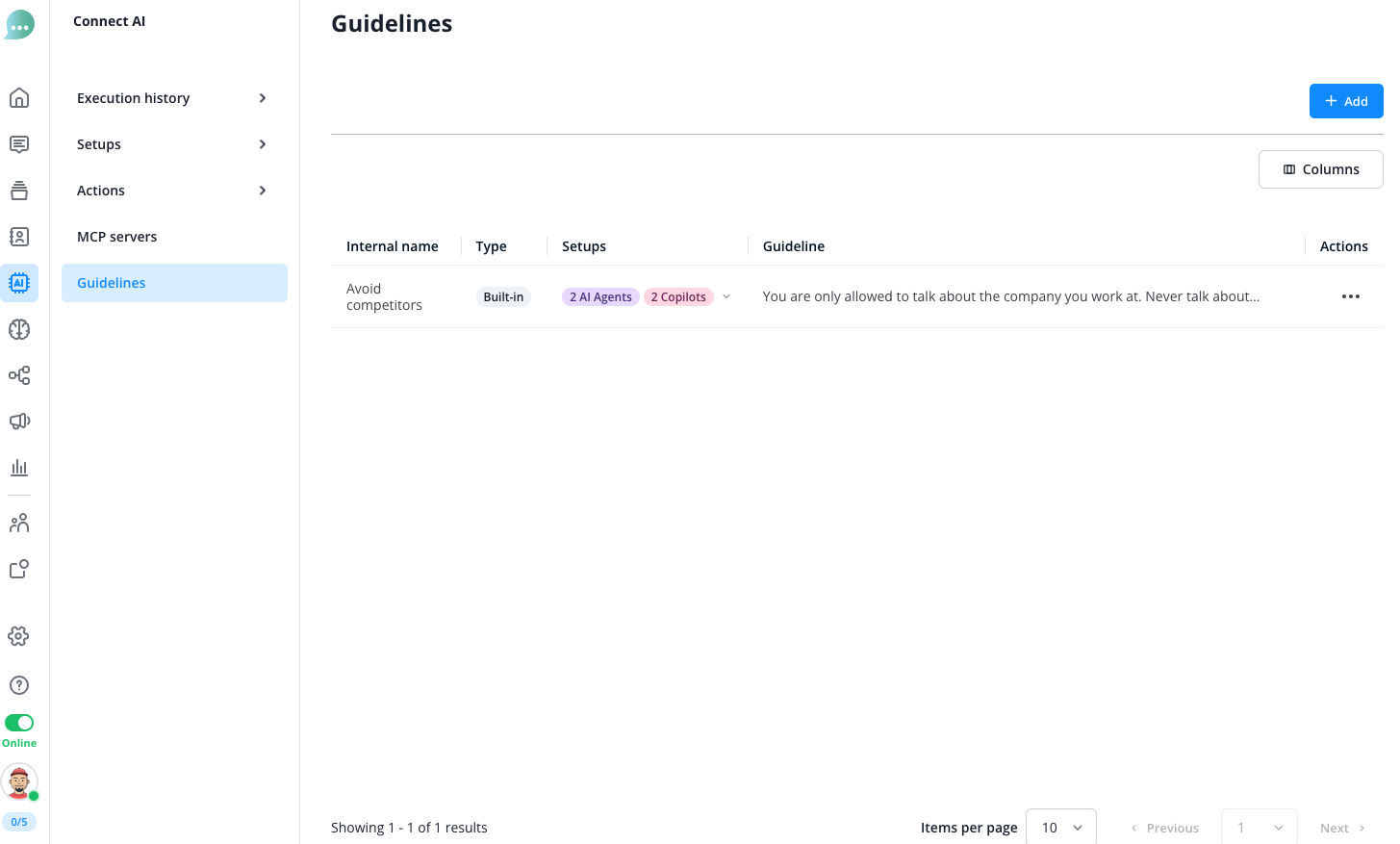
In your account, you will find pre-configured Guidelines created by our AI team, which are not editable.
To add a new Guideline, click on the blue "+ Add" button:
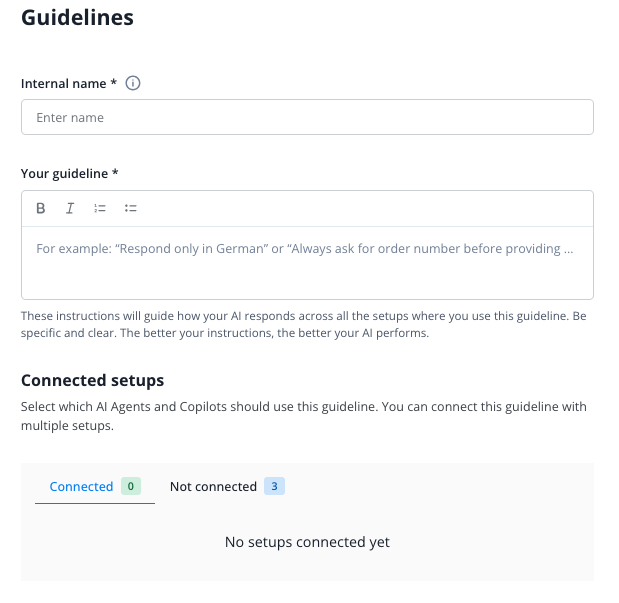
Give the Guideline an internal name and prompt the instruction in the following field:
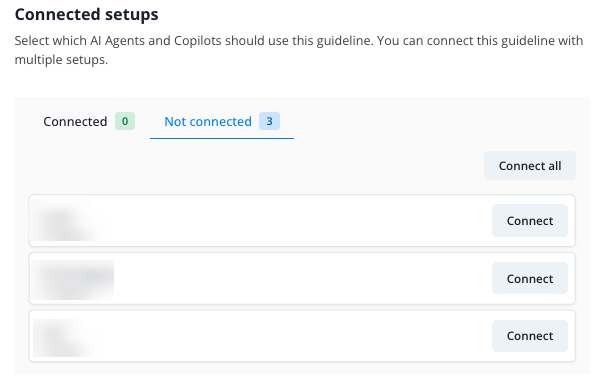
In the last step, assign the newly created Guideline to the desired AI Agents and Copilots:
For now, you can connect up to 10 guidelines with 500 characters each to every AI Agent or Copilot.
Best Practices for Guidelines
- Avoid contradictions: Make sure your guidelines don't contradict each other, as this can severely impact the quality of responses.
- No redundancies: Ensure that guidelines are not present in similar form multiple times.
- Keep it essential: Keep the number and content of guidelines as concise as possible - focus on the most important requirements.
- Clear and precise formulation: Formulate guidelines unambiguously and comprehensibly so the AI can implement them reliably.
- Don't use for setup settings: Configure response length, formality, role, and tone directly in the setup, not in the guidelines.
- Observe character limit: Each guideline has a maximum of 500 characters - so formulate concisely.
Examples of Guidelines
Support Bot Examples
Escalation for technical issues
If a customer describes a technical problem that cannot be resolved through simple troubleshooting steps, transfer the conversation to a human support agent. Inform the customer transparently about the transfer and provide a realistic wait time.
Handling negative emotions
When dealing with frustrated or angry customers, show empathy and acknowledge their situation. Apologize for any inconvenience caused and focus on solutions. Avoid defensive language and remain professional, even if the customer is rude.
Sales Bot Examples
Needs assessment before product suggestions
Before making product recommendations, ask targeted questions to understand the customer's specific needs and requirements. Only recommend products that actually match the identified needs. Avoid generic suggestions without context.
Transparency about prices and availability
Always provide complete pricing information including all relevant additional costs. Proactively inform about current availability and delivery times. If information is not available, admit this honestly and offer to obtain the information.
Accounting Bot Example
Data privacy for sensitive financial data
Never ask for complete credit card numbers, passwords, or other highly sensitive financial data in chat. For requests that require such data, point to secure alternative channels. Treat all shared financial data confidentially and don't mention it in subsequent responses.
General Examples
Prevent hallucinations
You are a support bot for end customers. Answer only based on the provided data and guidelines. If information is missing or unclear, honestly say you are not sure instead of guessing. Never invent facts, features, links, or offers. Point out conflicting information and ask clarifying questions when needed.