
Lime Connect’s Workflow feature lets you visually build chatbot flows without any programming.
With Workflow Actions (currently in beta), you can trigger a workflow in specific situations that you define yourself.
The workflow then runs the flow you set up in the Workflow Editor.
You can find all the information you need to create a workflow in our dedicated tutorial.
Workflows are an optional add-on. If you’re interested in booking it, please contact your Account Manager or reach out via our support chat in the bottom right.
To create a new Workflow Action, first click the blue “+ Add” button.
Give the Workflow Action an internal name.
Describe in detail in which situations the AI Agent should execute the action — i.e., forward to the workflow.
Select which workflow should be executed.
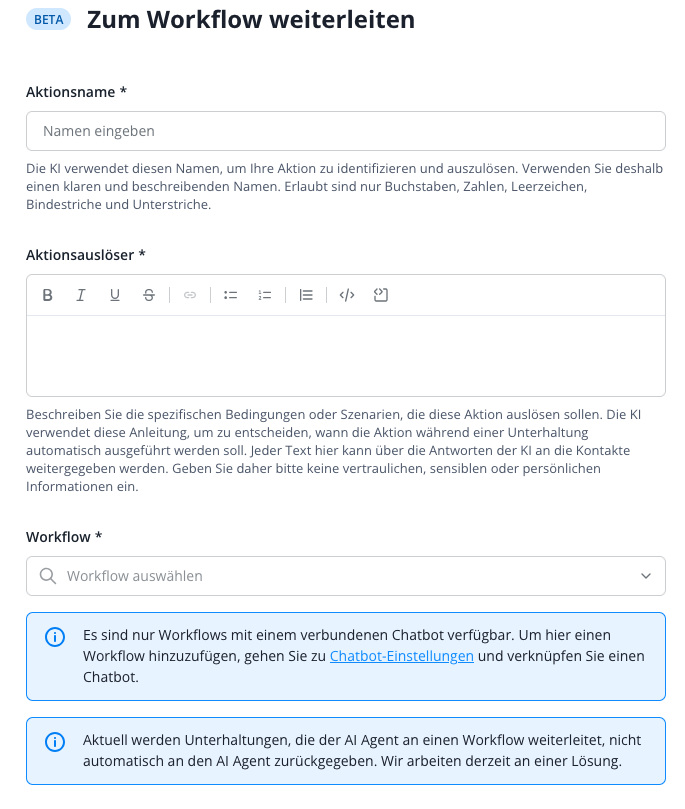
Please note that only workflows that are already assigned to a chatbot operator and have a start node of the type “On Connect AI handover” can be selected here.